Setting up a Privacy-First AI Workflow on GNOME & Arch Linux
A step-by-step, Linux-first workflow for local AI coding: offline defaults, network boundaries, model runtimes, and a practical setup checklist for GNOME + Arch.
Awareness · 11 min
Setting up a Privacy-First AI Workflow on GNOME & Arch…
A step-by-step, Linux-first workflow for local AI coding: offline defaults, network boundaries, model runtimes, and a practical setup checklist for GNOME + Arch.
Definition
Local AI Coding is an offline-capable development workflow where AI assistance runs locally so your code context stays on your machine and doesn’t traverse third-party networks.
The goal of a privacy-first workflow isn’t paranoia — it’s clarity. You should be able to explain, in one sentence, where your code and prompts can travel.
Here’s a clean GNOME + Arch setup that keeps AI help local, makes data flow visible, and stays pleasant enough to use every day.
What a privacy-first UI feels like
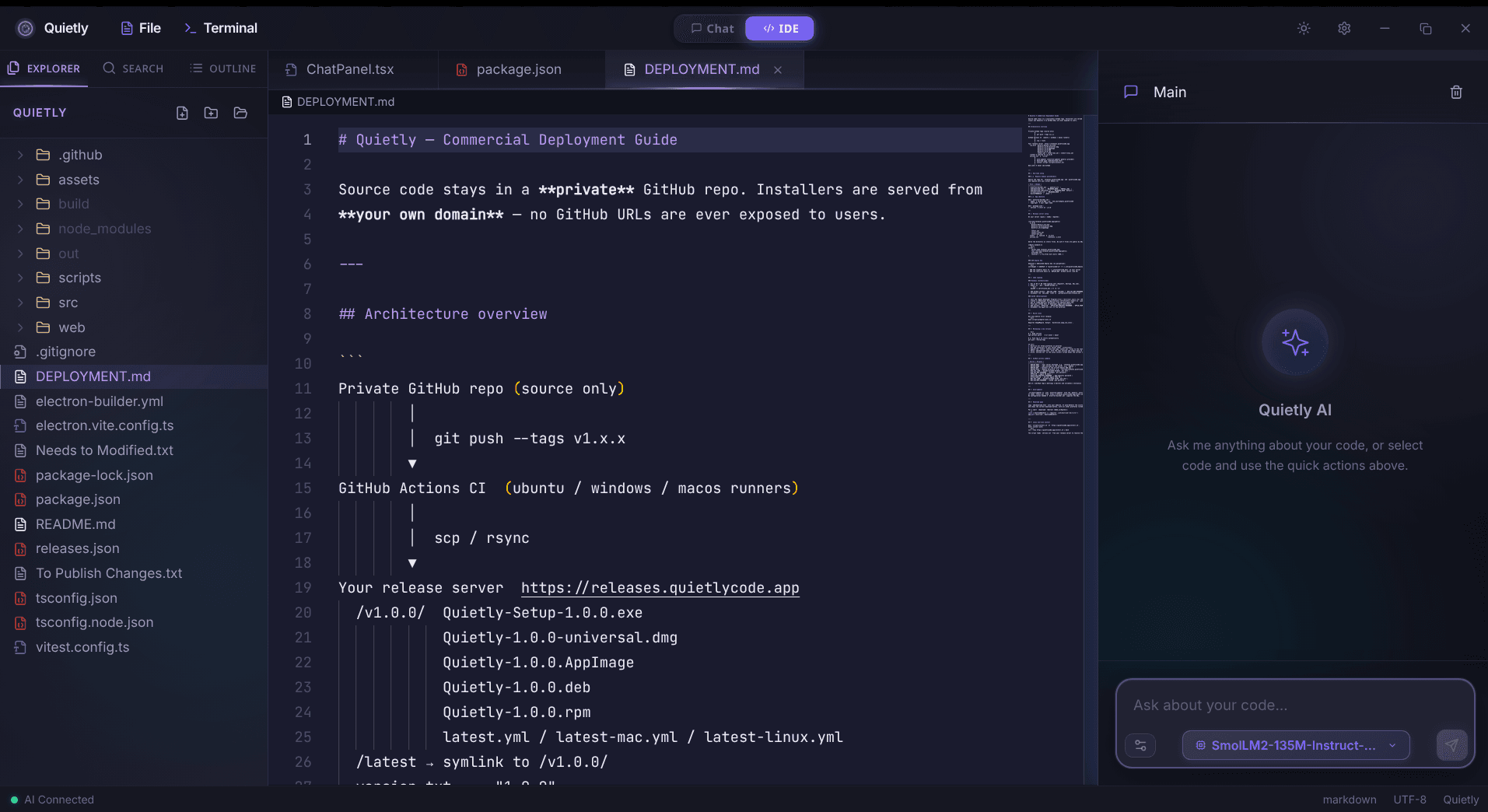
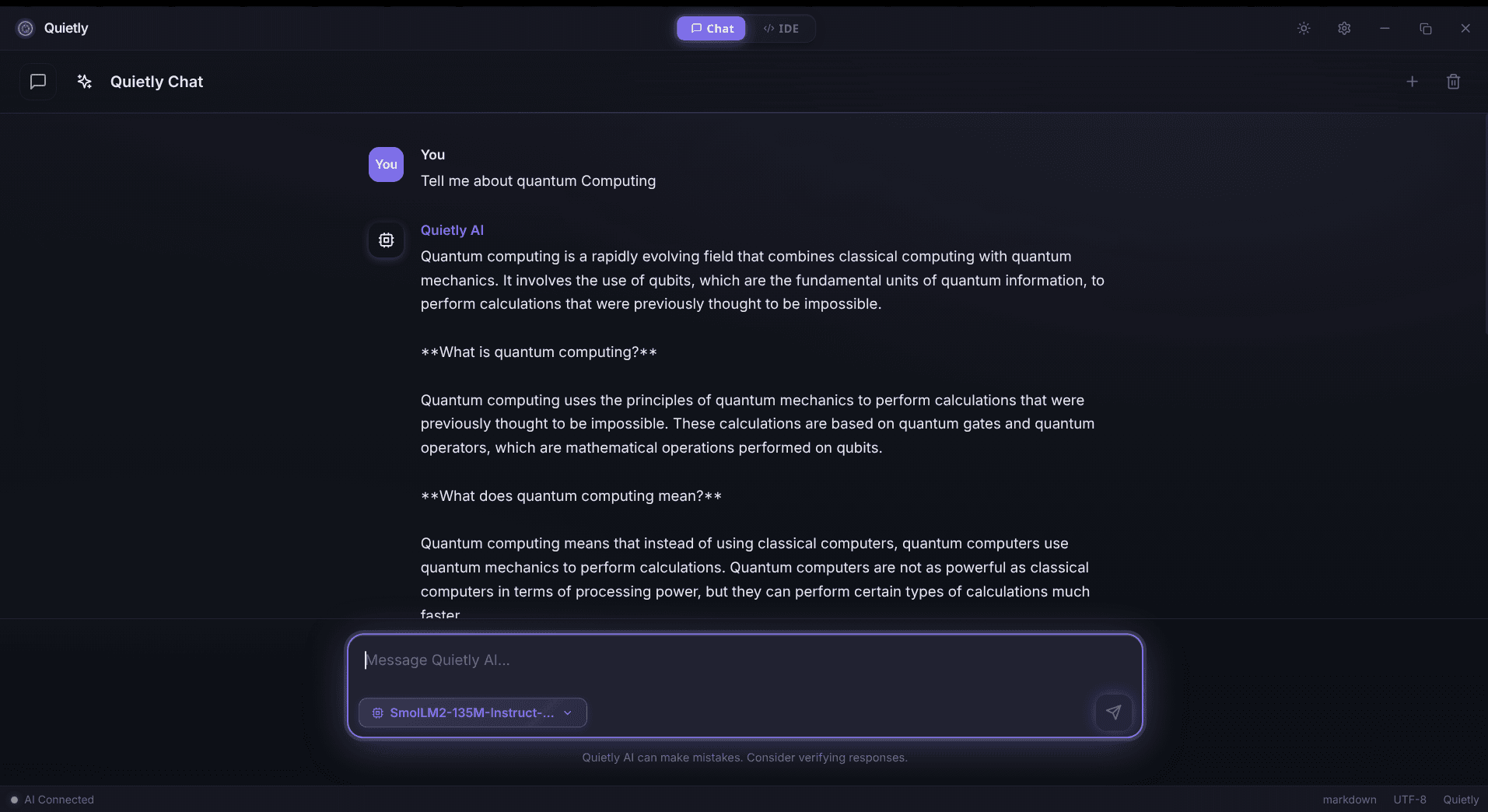
Principles: privacy by default, not by discipline
- Prefer localhost/LAN endpoints for inference.
- Block cloud fallbacks by default (explicit allow > implicit allow).
- Keep logs useful but non-sensitive (avoid prompt/body logging).
- Make the ‘secure path’ the easiest path.
Step 1: Put a network boundary in place
Before you optimize models or UI, lock in your boundary: what can access the internet, and what should never need to.
- Define your default: local-only for prompts and context.
- Allow only localhost/LAN endpoints for inference.
- Explicitly disallow third-party LLM APIs and telemetry collectors in this workflow.
- Log metrics only (latency, errors) — never prompt bodies.
Step 2: Run your models locally (and keep it boring)
Pick a stable local runtime and a model size that stays responsive. The best privacy setup is the one you don’t fight every day.
tip
Optimize for “flow latency”
If an answer takes long enough that you open another tab, your workflow isn’t local-first anymore — it’s context-switch-first.
note
Memory rule of thumb
If your machine starts swapping during inference, the assistant will feel unreliable. Pick a smaller model or add memory so the experience stays consistent.
Step 3: Wire Quietly into the workflow
The simplest privacy-first setup is a tool that assumes local by default. Quietly’s core promise is that your code and chat stay on your machine.
- Prefer local mode by default (no cloud fallback).
- Disable telemetry/analytics completely.
- Keep any model endpoints on localhost or inside your LAN.
Step 4: Hardening checklist (fast)
- Disk encryption enabled.
- Separate user profile for demos vs client work (optional but clean).
- Firewall defaults deny outbound for AI tools (unless explicitly allowed).
- No prompt logging in system journals.
- Regular updates for kernel/driver/runtime components.
FAQ
Is Quietly really 100% offline?
Quietly is designed to run AI coding assistance locally, so you can keep your workflow offline by using local models and local endpoints.
What models does Quietly support?
Quietly is built around local model execution workflows. Exact model options depend on the runtime you choose and the RAM/latency profile you want.
How do I prove my workflow is offline?
Monitor outbound connections during typical usage and ensure your assistant only talks to localhost/LAN endpoints; block known cloud endpoints to prevent accidental fallbacks.
Does ‘LAN-hosted’ count as local AI?
Yes if the endpoint is fully inside your environment, but you must treat prompt retention and access control like any other internal sensitive system.
Related posts
Comparison
Top 5 Local AI Coding Tools You Can Run 100% Offline (2026 Edition)
A practical shortlist for privacy-first developers: compare RAM needs, latency, and offline guarantees for popular local AI coding workflows (including Quietly).
Comparison
Switching from Windows to Linux for AI Development: Why I Chose Arch & Quietly
A personal, technical migration story: why Arch Linux + a local-first AI workflow feels faster, calmer, and more private for day-to-day development.
Awareness
Corporate Data Leaks & AI: Is Your Source Code Actually Private?
CTO-grade threat modeling for AI coding tools: what can leak, why it leaks, and how local AI changes the security boundary for proprietary code.