Corporate Data Leaks & AI: Is Your Source Code Actually Private?
CTO-grade threat modeling for AI coding tools: what can leak, why it leaks, and how local AI changes the security boundary for proprietary code.
Awareness · 9 min
Corporate Data Leaks & AI
CTO-grade threat modeling for AI coding tools: what can leak, why it leaks, and how local AI changes the security boundary for proprietary code.
Definition
Local AI Coding is the practice of running code-completion and chat models on your own machine (or your own servers) so proprietary code never needs to be sent to third‑party cloud APIs.
Security-conscious teams are right to ask a blunt question: when a developer pastes code into an AI assistant, where does that code go next?
This post outlines realistic leakage paths (not fear-mongering), the controls that matter, and a practical decision framework for CTOs and developers handling proprietary code.
A privacy-first assistant should look local
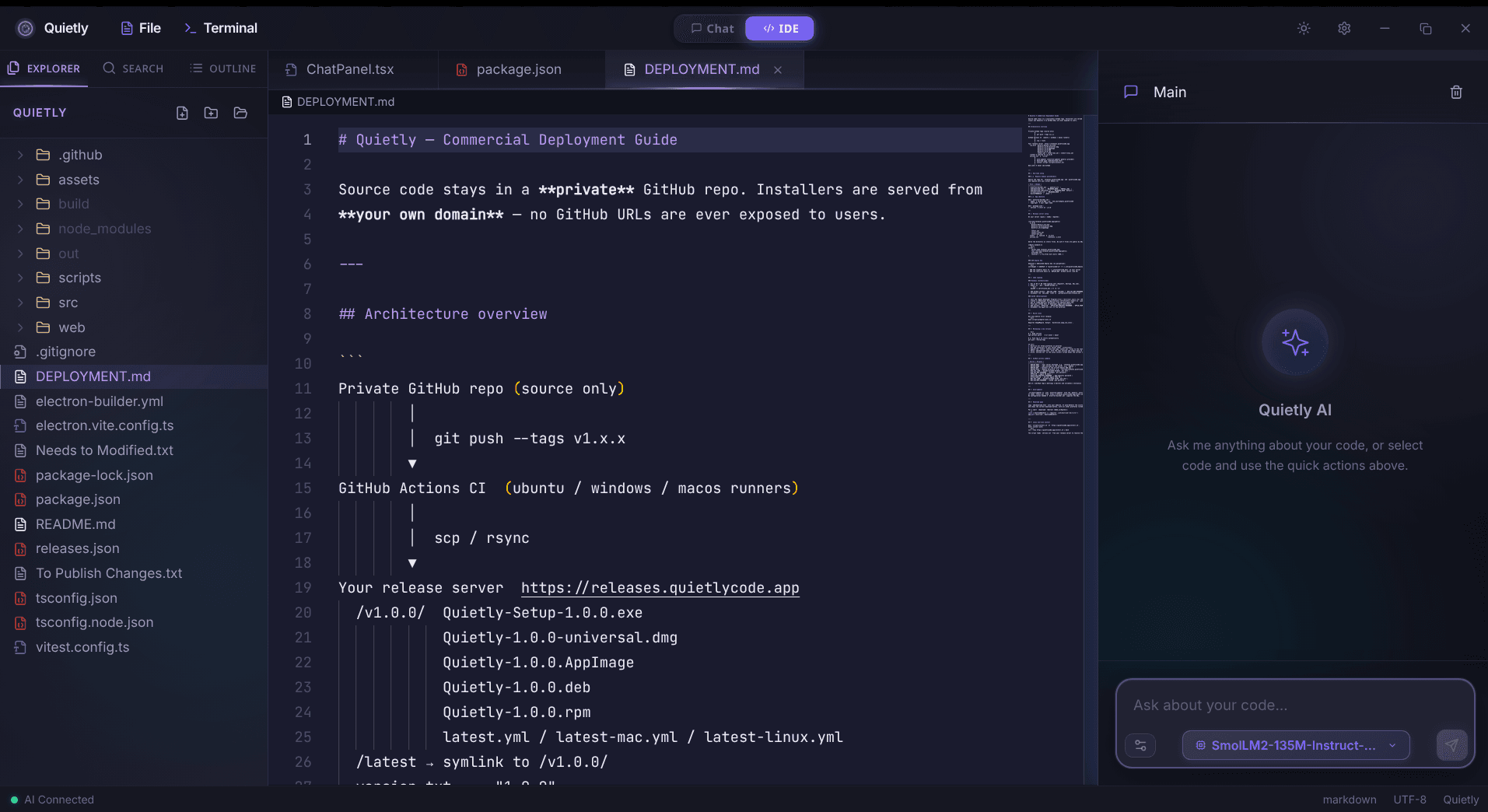
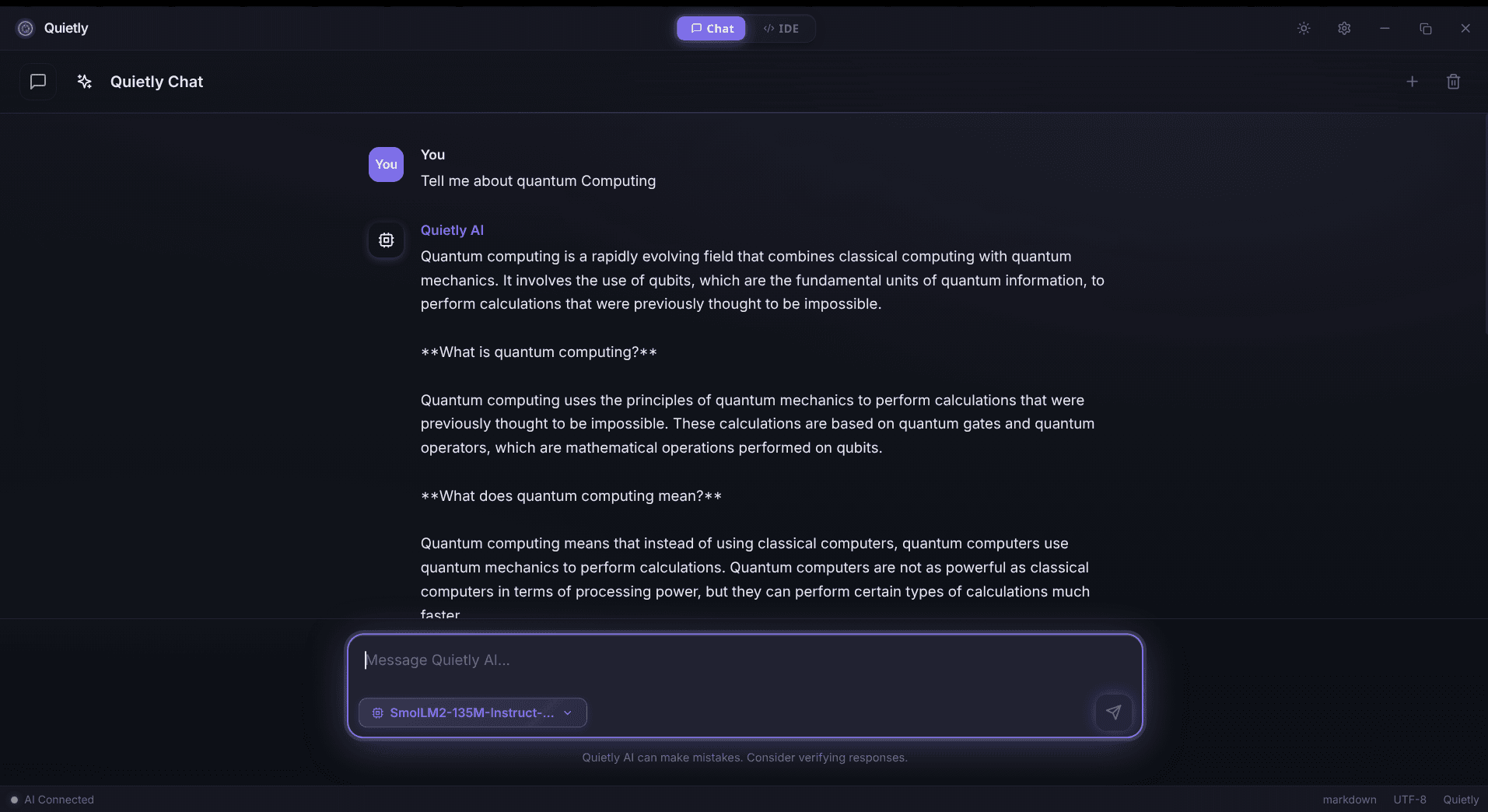
What can leak when you use cloud AI on proprietary code
- Raw source code pasted into chat, or attached as files.
- Repository structure + filenames (metadata can be sensitive even without code).
- Secrets accidentally included in snippets (API keys, tokens, service URLs).
- Internal identifiers (customer names, incident IDs, endpoint paths).
- Security posture hints: vulnerable patterns, outdated dependencies, misconfigurations.
warning
The subtle leak: context
Even if you never paste “the whole repo”, repeated small snippets + error logs can reconstruct architecture, naming, and business logic over time.
Why it happens (even with “privacy mode”)
Most cloud assistants need your prompt to leave the device to generate a response. From there, risk becomes a supply-chain problem: vendors, subprocessors, observability, retention windows, and future policy drift.
For regulated or IP-heavy organizations, the key is not “trust the vendor”, it’s “minimize exposure by design.”
Controls that actually matter (CTO checklist)
- Data boundary: can you guarantee prompts never leave your environment?
- Retention: are prompts stored? for how long? who can access them?
- Training: can prompts ever be used to improve models? (now or later)
- Subprocessors: do they change over time without explicit opt-in?
- Auditability: can you log access without logging the sensitive content itself?
- Developer workflow: can you prevent “shadow AI” from appearing anyway?
tip
Make it hard to leak secrets by accident
Use a pre-commit / pre-push workflow that blocks commits when obvious secret patterns are detected, and require secret scanning in CI for every PR. This reduces the most common leak path: copying sensitive fragments into prompts (or commits) “just to debug quickly.”
How local AI changes the risk boundary
With local AI, the primary question flips from “What did we send?” to “Who can access the machine and its model/runtime logs?” That’s a security problem you already know how to solve: device hardening, disk encryption, least privilege, and sane logging.
Local execution also reduces the blast radius of misconfiguration. There’s no external vendor endpoint to mis-route traffic to, and no third-party retention policy to interpret.
A practical decision framework
If your codebase is truly proprietary (core algorithms, customer data handlers, security infrastructure), treat cloud AI prompts as data exfiltration unless you can prove otherwise with architecture and contracts.
- Low sensitivity: allow cloud AI with strict redaction + tooling.
- Medium sensitivity: route through enterprise controls, DLP, and approved vendors only.
- High sensitivity: use local AI (or self-hosted) as the default path.
tip
The winning policy is the one devs follow
If the “secure option” is slower or painful, developers will bypass it. Local-first tools reduce policy friction while improving confidentiality.
FAQ
Is Quietly really 100% offline?
Quietly is designed to run your coding assistance locally so prompts don’t need to be sent to cloud APIs. You control the machine, the models, and the network boundary.
Can cloud AI vendors see my source code if I paste it into chat?
If a tool sends your prompt to a third-party API to generate the response, then the vendor (and potentially subprocessors) can receive that content depending on their architecture and policies.
What’s the biggest real-world risk: training or retention?
Usually retention + access paths. Even without training, stored prompts, logs, and analytics pipelines can create long-lived exposure.
What models does Quietly support?
Quietly is built around local model execution workflows (for example via llama.cpp-style runtimes), so you can choose models that fit your RAM/latency needs.
Related posts
Comparison
Top 5 Local AI Coding Tools You Can Run 100% Offline (2026 Edition)
A practical shortlist for privacy-first developers: compare RAM needs, latency, and offline guarantees for popular local AI coding workflows (including Quietly).
Comparison
Switching from Windows to Linux for AI Development: Why I Chose Arch & Quietly
A personal, technical migration story: why Arch Linux + a local-first AI workflow feels faster, calmer, and more private for day-to-day development.
Awareness
Setting up a Privacy-First AI Workflow on GNOME & Arch Linux
A step-by-step, Linux-first workflow for local AI coding: offline defaults, network boundaries, model runtimes, and a practical setup checklist for GNOME + Arch.